FilzaSlop iOS Root File Manager Latest Update
FilzaSlop: iOS Root File Manager, Compatibility, Installation & Alternatives
FilzaSlop is a modified fork of Filza (FilzaJailedDS) by developer 0xjohnnydev. FilzaSlop leverages a sandbox escape vulnerability to grant users access to applications’ containers and select system directories without needing a full jailbreak.
So are you interested in performing MobileGestalt edits, modifying application data, or applying custom system tweaks on modern iOS firmware? This ultimate guide covers everything you need to know about FilzaSlop and its compatibility.
Download Latest Version of FilzaSlop
FilzaSlop’s latest version, v1.2.0, is compatible with iOS 18, iOS 26, and iOS 27, as well as beta 1-4.
EsigniOS App Store helps you download the latest version of FilzaSlop Online; you can also sign the IPA files online without a PC or Jailbreak. To download the latest IPA files, navigate to the App Store section of the latest EsigniOS app.
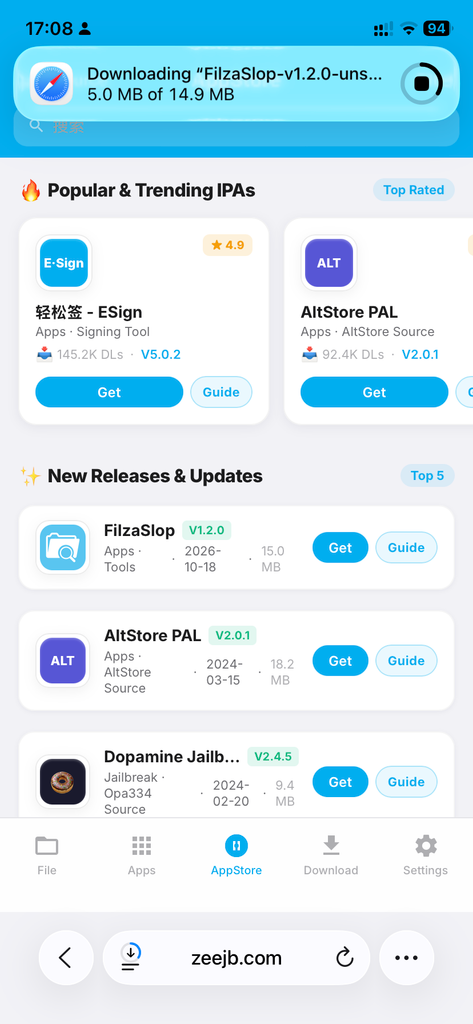
Once you download the IPA file, you can use a sideloading tool to install the app on your iPhone/iPad.
How to Install FilzaSlop – Online
You can install the FilzaSlop IPA file using the following sideloading methods; we have listed them by popularity and community feedback.
#1 Install via EsigniOS
To install FilzaSlop via the EsigniOS app, you need to first install the EsigniOS app. To install online, visit the EsigniOS Signer tool,
Step 01: Open the downloaded FilzaSlop IPA file via the EsigniOS app(Or you can import the file via EsigniOS App Settings > Import Resource > Select Desired IPA file)
Step 02: Navigate to the App Section and find the imported FilzaSlop IPA file
Step 03: Select the app and tap “Signature”
Step 04: Select the valid certificate file and click on “Signature” Again.
Step 06: Once it is completed, tap “Install”
Step 07: Check the home screen for the installed app, FilzaSlop App
Learn How to Install Esign iOS, Download Free Certificates, Install VPN profiles
Key Details & Features FilzaDS/FilzaSlop
Jailbreak-Detection Boundary: Since the v1.0.0 release, it removes a filza:// URL scheme to prevent other apps from checking for its existence via canOpenURL:.
Update Checks: Automatically checks GitHub releases and alerts the user to newer versions without downloading and installing.