Ksign iOS IPA Sideloader: Download & Install Without Jailbreak
Ksign is an ondevice IPA sideloading tool that allows users to sign and install unlimited IPA files with a globally available Apple P12 certificate. KSign developers called these tools the child tools of popular IPA signers, Esign and Feather.
Given its size (only 13-16MB), we can call it the Esign Lite version. In this tutorial, you will learn everything you need to know about the Ksign IPA signer tool, including downloading(Official Links), installing, Certificate importing, App signing, and Best Alternative solutions.
Ksign iOS IPA signer Latest update: v 1.6
Changes:
- feat: disable liquid glass for apps on iOS 26 (03a3a9c)
- chore: update star history (5d83bcb)
- feat: remove “UIDesignRequiresCompatibility” key for force Liquid Glass (#129) (ae5dc7d)
- chore: bump to v1.6.1 (7069768)
- chore: update sources (20125c9)
- chore: remove piracy sources (61b9e95)
- chore: update repo (90983ce)
Download the Ksign iOS IPA file.
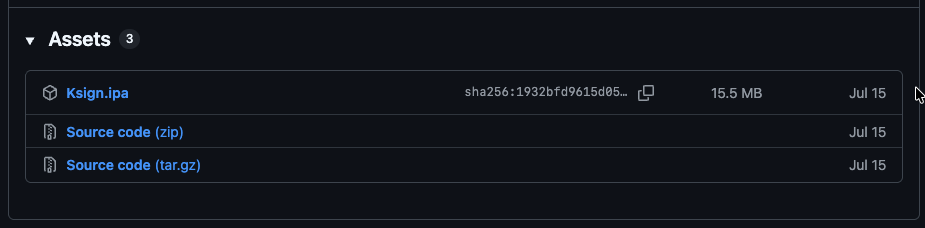
You can download and install the Ksign iOS app via “Ksign Patcher. For the IPA file, you can visit the official GitHub page.
To download the Ksign iOS IPA file, use the download link below. Click the button below to go to the official GitHub page. After that, expand the Assets area and tap Ksign.ipa to download the latest
How to patch Ksign iOS via DNS & Script
Ksign Patcher iOS app v3.0 now supports users in injecting anti-revoke scripts and using the Ksign iOS app without revocation. This means you don’t need to resign the IPA files every 7 days. Additionally, with the premium certificate files, you can sign an unlimited number of apps, rather than the 10-app limit. This is also the best alternative to Sideloadly and TrollStore, supporting a wide range of iOS and iPhone models.
Ksign Patcher is now compatible with iOS 18.7.2 and later, including iOS 26.1 & 27. iOS users can now test applications that are not available on the official App Store. The Ksign Patcher iOS app patches most security issues on iOS, helping keep the Ksign iOS app protected against revocation.
To install Ksign, download the patcher and follow the instructions below.
Method 1 – How to Install Ksign using Ksign Patcher
Step 01: Download and install the KsignPatcher iOS app (this doesn’t need a PC or Jailbreak)
Note*: Search on Google for “Ksign iOS” for more information.
Step 02: Open Ksign Patcher and apply the free patch first. In most cases, you need to retry the installation 2 or 3 times for it to be complete.
Note: IF the free patcher is not working for you, try the Pro Patcher (This will cost some $ for the anti-revoke certificate)
Step 03: After installation, you can import free or paid Developer or Distributor certificates into the app.
Step 04: After importing the certificate files, you can download and import the IPA files, then sign them via the Ksign iOS app.
Method 2 – How to install the Ksign iOS app?
To install the Ksign iOS app, you can use either the PC or online installation methods. You can install Ksign without a Jailbreak. Below are the most popular and easiest methods to install the Ksign app. iOS reverse engineer @kabe also developed a Ksign Patch app that helps users install the Ksign iOS app without an Apple Developer certificate. Ksign is an open-source project, allowing developers to improve it through contributions.
1. Install the Ksign application from the Ksign Patcher
2. Download the certificate file from here:
Telegram: “Esign Free Certificate”
Method 3 – Download & install the KSign iOS app via Esign iOS.
Esign is a popular iOS sideloading app similar to KSign, but KSign uses advanced, modern technologies and new features. Esign can also sign IPA files and inject iOS dylib files. To install KSign iOS via Esign, follow the steps below:
Step 01: Download and install the Esign iOS app
Step 02: Open the Esign iOS app and import the downloaded K-Sign IPA file.
Step 03: In the app section, tap the K-Sign app, then tap Signature. Configure the app data if needed, or leave it as the default, and then tap Signature again.

Step 04: Tap the “Install” button, wait for the installation pop-up to appear, and then tap “Install”.

Step 05: Open the installed Ksign app from the iPhone home screen.

Ksign iOS Features
- A new default icon for the app! This one is much cleaner than the previous one and supports Dark Mode and Tint.
- ZIPFoundation is a brand-new zip extractor that you can use in the Archive & Extraction settings of the app if importing IPA isn’t working with Zip Plist Editor.
- The file manager’s context menu is back and even better! (A file row menu holds) Since the edit toolbar is now in the upper-right corner, the iOS 26 tab bar no longer obscures it.
- The System Picker now replaces the Move/Export option. A few UI adjustments
- Bulk Signing (select multiple apps and click on the sign icon)
- Ksign can be run in the background now, finally! (helpful with downloading IPAs and installing them)
- Logs tab so you can see what’s going on under the hood!
- Added the experiments signing option from Feather
- Reset cache and storage in the Reset tab
- Ability to bundle the default certificate with the app
- Ability to edit text files and make a new one in the file manager
- A few small UI changes
Ksign iOS GitHub Source: https://github.com/Nyasami/Ksign
Method 4: Here’s how to sideload Ksign IPA via Sideloadly:
- Download the latest Ksign IPA for iOS.
- Install Sideloadly for Windows or macOS.
- Sideload the Ksign IPA by following the guide Installing IPA on iPhone.
- Open the Ksign App from your Home Screen.
Ksign vs Esign
Both Ksign and Esign are IPA sideloaders, but Ksign offers its own UI and UX. Esign no longer actively updates its IPA signer, while the Ksign team released its latest beta, v1.6, supporting iOS 26 and the latest iOS 27. It also includes disabling Liquid Glass for apps on iOS 26 and more.
| Ksign iOS | Esign iOS |
|---|---|
| GPL-3.0 Open Source Project | Private Project No Source Code Released |
| Language: German, Arabic, Vietnamese, Russian, and more | English, Arabic |
| Ksign can be run in the background | Need to keep the app open while signing |
| Reset cache and storage in the Reset tab | Need to delete the app to remove cache |
| Ability to bundle the default certificate with the app | Can’t bundle the default certificate with the app |
Troubleshooting – KSign iOS
While using the KSign iOS app, users may face different issues for several reasons; here are the most common ones. If you have any new issues, please submit them to the official GitHub or comment below so we can help you resolve them.
Can we install Ksign on the latest iOS 27, 18?
Yes, you can install the latest Ksign IPA on iOS 27 beta 3, iOS 26.7, iOS 18.7.10, iOS 17.7.2, and below.
My certificate is blacklisted. How do I fix it?
Once a free dev or distribution certificate is blacklisted by Apple, you can’t sign IPA files using it. So you’ll need a new certificate file. But it costs $99 or more, so you can use udidmaster.com as a developer support certificate provider with revocation protection.
Unable to Verify App error
This is most common error many users have this issue while sideloading, First you need to check the certificate file you import to the Ksing iOS app is Developer or Distribute, if it is a Developer so check is your device UDID is at on their development team, if not so you need to buy a personal developer certificate using Apple developer program or you can find cheap one form udidmaster.com, If the cerificate is Distribute, so you need to check the ceritficate status wether it is blacklisted or apple revoked it or is it expired.
Also, an ” Unable to Verify App error may come when you change the app’s bundle ID, so check if your app bundle ID is correct, or sign it with the default bundle ID.
How to import the free community-available Developer Certificate (.p12 and.mobileconfiguration) into Ksign
You can find many free dev certificates in the community, but be careful before importing any certificate file; make sure it comes from a legitimate source.
In this guide, you can learn how to find legitimate free Apple Dev certificate files and how to securely import them into your iDevice.
Step 01: To find the free dev certificate files, use the sources below sourcse:
- https://zeejb.com/checker/devcertchecker
- https://udidmaster.com
- https://esigncert.zeejb.com
- https://github.com/iOS17/Ksign-iOS
Zee DevCertChecker
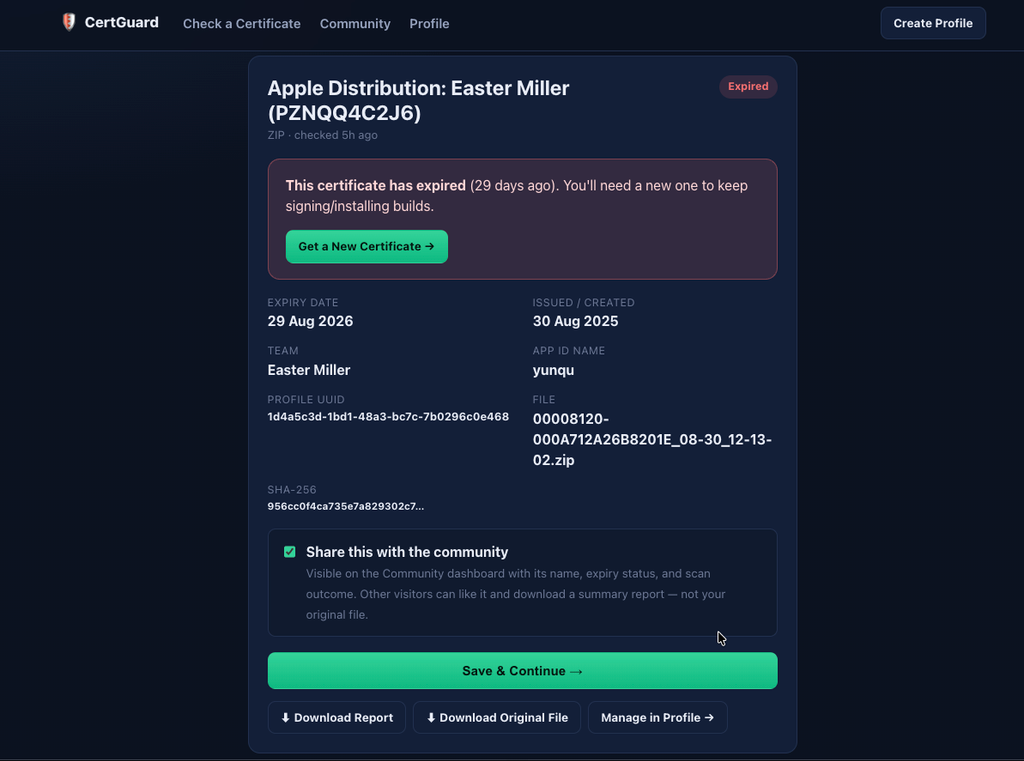
Using this tool, users can scan their dev or distribution certificates, and you can also download community-shared dev certs for educational purposes. These files are virus-free and scanned by Zee DevCertChecker.
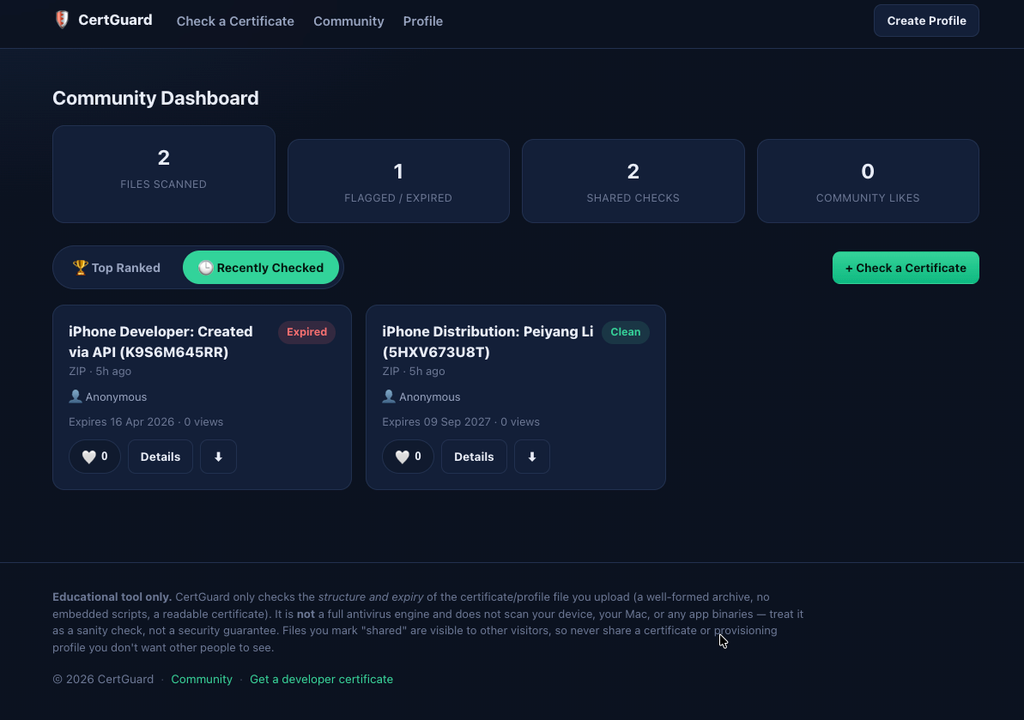
Step 02: Before you import the certificate into Ksign, scan it for viruses and vulnerable code injections. We created a free scanner for it. This will check each and every line of code and file in your uploads.
https://zeejb.com/checker/devcertchecker
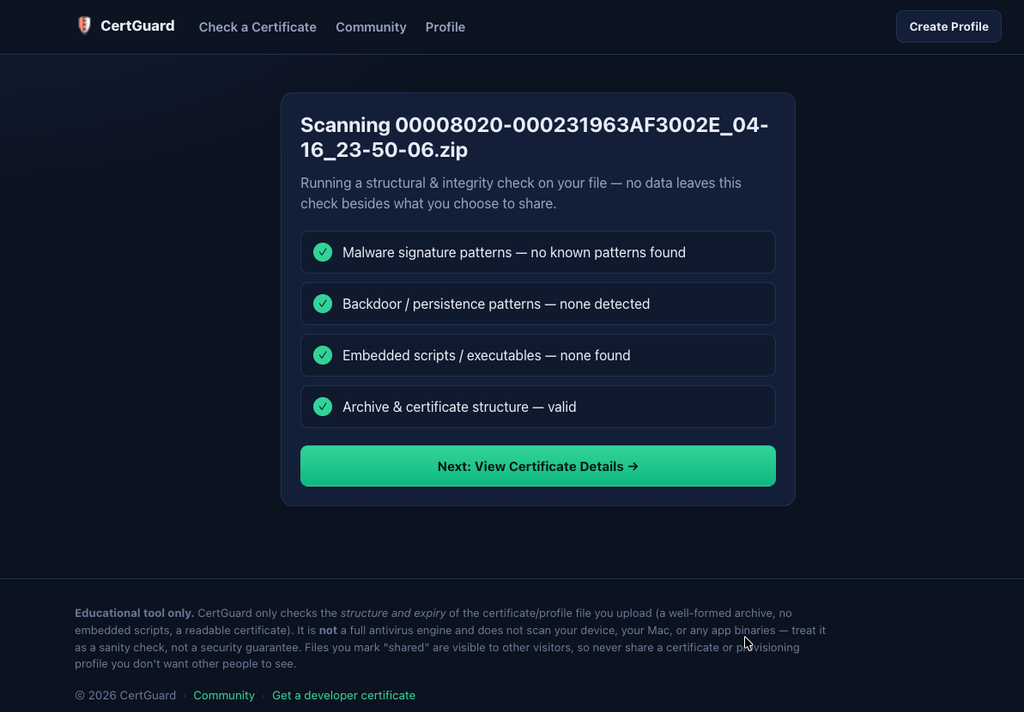
Once you open the Zee Dev Certificate Checker tool, you can upload the certificate file you found on the jailbreak community. Use the Choose file button to upload the cert. After you upload it, tap Scan this file to see the result.
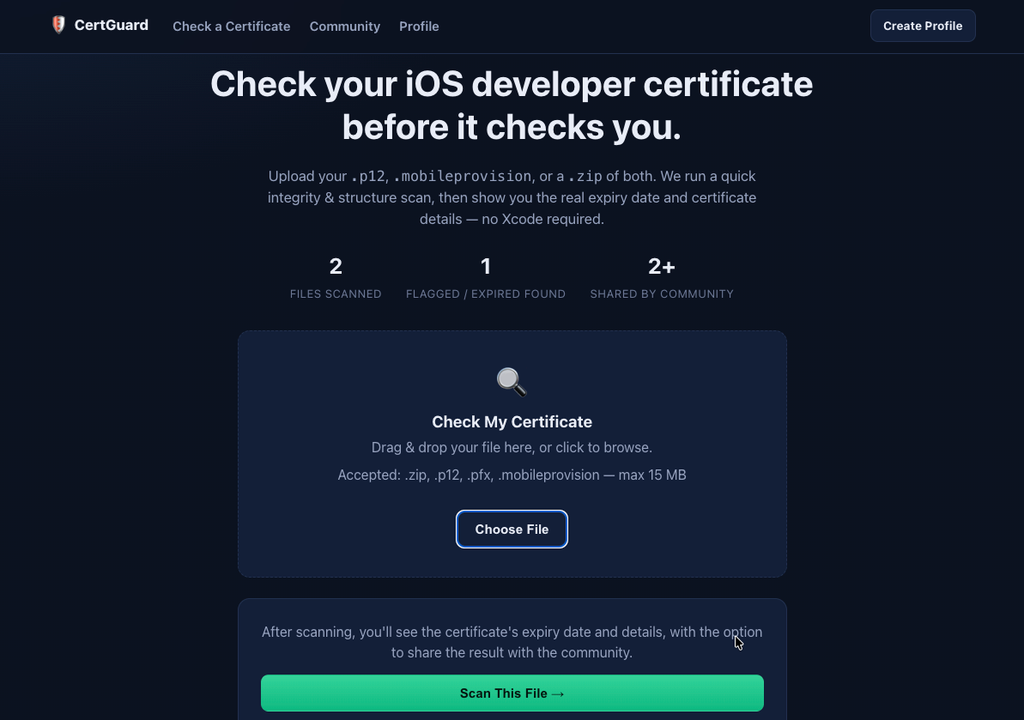
Once the file scan is finished, you can also see the certificate status, whether it is expired or not , issued date, Team name, App ID Name, Profile UDID, and more data.