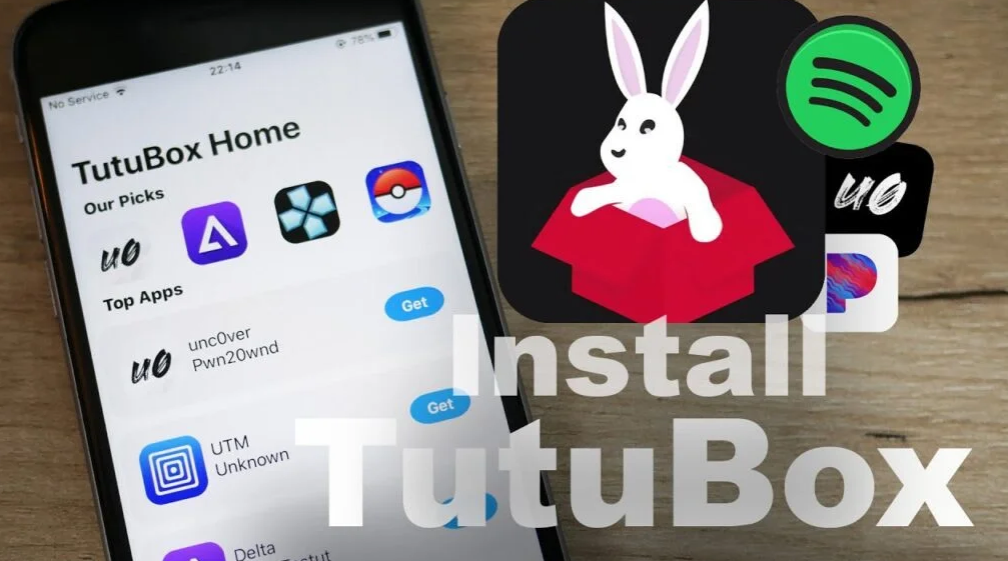
Download TutuBox for iOS No Jailbreak

Tutubox is a powerful third-party app store for iPhone and iPad. Works on iOS 14 to iOS 18+ and the latest iOS versions. TutuBox has emerged as a leading third-party app store for iOS users seeking an expanded app universe beyond the official Apple App Store.

TutuBox for tweaked apps, modded games, and TutuBox for emulators. It provides seamless access to upgraded apps, tweaked games, and premium utilities without the need for a complicated and potentially warranty-voiding jailbreak.

For those who want to unlock more functionality and discover unique content on their iPhone or iPad while maintaining device security and manufacturer support, TutuBox offers an incredibly easy and simple solution to enhance their mobile experience.

Here is everything about Tutubox online iOS AppStore installation, how to get Cydia on Tutubox online, Unc0ver, Chimera, Odyssey, YouTube++, Pokemon Go++, Among Us Mods, MovieBox, Instagram++, and more updates.

What is TutuBox?

Tutu box online iOS app

Tutu Box is a third-party app store that allows you to install your favorite apps, games, emulators, jailbreak tools, tweaked apps, and more. If you have an Apple or own certificates, you can sign Tutu easily. You can get your own certificates free and cheaply from UDID Masters certificates providers.

Why tutubox?

Tutubox tool fundamentally transforms the iOS app installation landscape by expertly addressing core user demands for efficiency and security. Forget slow downloads; Tutubox uses a robust infrastructure of optimized, high-speed global servers designed to deliver significantly faster app installations and updates, drastically reducing wait times and streamlining your entire experience.

Also, it is powerful. Tutubox frees users from the inherent risks of jailbreaking. Tutubox provides an elegant, risk-free alternative when accessing modded or premium iOS apps, which requires complex, warranty-void procedures that expose devices to security vulnerabilities through traditional methods.
It offers an extensive library of tweaked apps, premium versions, and powerful third-party utilities that seamlessly install and work on any standard iOS device, giving you access to essential features and functionality without ever compromising your device’s security, stability, or manufacturer’s warranty.

  • No logging is required
  • Faster downloads
  • No more jailbreaks
  • Download from any method
  • App requests
DISCLAIMER - While the allure of third-party app stores like TutuBox for accessing exclusive or modified iOS applications, especially for users familiar with the Cydia ecosystem, is undeniable, it's crucial to proceed with an understanding of the inherent risks.

Furthermore, these unofficial applications may not adhere to strict privacy guidelines, potentially collecting more personal information than necessary without your explicit consent. Beyond security vulnerabilities, users should also be aware of potential performance issues.

Apps from unverified sources often lack optimisation, leading to frequent crashes, reduced battery life, and overall device slowdowns. Therefore, while exploring alternatives like TutuBox, exercise extreme caution, ensure you understand the potential trade-offs, and consider backing up your device before installing any unofficial software.

Is TutuBox safe? (security, privacy, risks)

When considering TutuBox for your iOS device, particularly in a Cydia or jailbroken context, safety is paramount. Unlike the official Apple App Store, TutuBox hosts applications that have not undergone Apple’s stringent security vetting processes. This inherently introduces a significant risk of encountering apps that may be modified, outdated, or even embedded with malware, spyware, or adware. Installing such unofficial software bypasses Apple’s built-in security mechanisms, potentially exposing your device to vulnerabilities ranging from system instability and performance degradation to more serious threats like data corruption or remote access by malicious actors. Users must acknowledge that downloading apps from third-party sources, such as TutuBox, entails full responsibility for any potential security breaches.

integrating TutuBox into a jailbroken environment via Cydia amplifies these risks; a jailbroken device already operates outside Apple’s supported security framework, making it even more susceptible to malicious code from untrusted sources. While TutuBox aims to provide access to a wider range of apps, users must proceed with extreme caution, recognizing the trade-off between app availability and potential compromises to their device’s security and personal privacy.

Compatible iOS versions :

  • iOS 14.5, iOS 14.4, iOS 14.3, iOS 14.2, iOS 14.1, iOS 14.0.1, iOS 14
  • iPad OS 14.4, iPad OS 14.3, iPad OS 14.2, iPad OS 14.1, iPad OS 14.0,.1 iPad OS 14

Compatible Device Models :

  • iPhone12 mini, iPhone 12, iPhone 12 Pro, iPhone 12 Pro Max
  • iPhone11, iPhone 11 Pro, iPhone 11 Pro Max, iPhone XS, iPhone XS Max, iPhone XR, iPhone X
  • iPhone 8, iPhone 8 Plus, iPhone 7, iPhone 7 Plus, iPhone 6s, iPhone 6s Plus, iPhone SE (1st gen), iPhoneSE (2nd gen)
  • iPod touch (7th gen)
  • iPad Pro (4th gen), iPad Pro 11-inch (2nd gen), iPad Pro (3rd gen)
  • iPadPro (1st gen), iPad Pro (2nd gen), iPad Pro (1st gen), iPad (7th gen), iPad (6th gen)
  • iPad (5th gen), iPad mini (5th gen), iPad mini 4, iPad Air (3rd gen), iPad Air 2

How to Install TutuBox on iOS?

There are so many ways to download the TutuBox application to a PC. Here is the most possible and easiest guide. This is the step-by-step guide to installing TutuBox online on your iOS 13 – iOS 26.5.

Installing Tutubox online to your iOS device brings a host of immediate benefits, starting with significantly faster downloads.

This efficiency is not just a claim; it is achieved through optimized servers and direct download links that bypass the often-congested standard App Store queues, ensuring you get the apps and tweaks you need in a fraction of the time.

Furthermore, one of the most compelling advantages of Tutubox is that it eliminates the need for jailbreaking.

Users can now access a vast library of modified apps, premium versions, and unofficial content – functionality that was previously exclusive to jailbroken devices – all without the inherent risks.

This means no voiding of your device’s warranty, no compromising your device’s security against malware, and no complex system modifications, providing a safe, streamlined, and robust way to enhance your iOS experience with extended app capabilities.

Also, you can install tools like Electra, H3lix, Odyssey Jailbreak, Phoenix, unc0ver Jailbreak, and Chimera Jailbreak without a PC/ online.

Now TutuBox works on all iOS versions, from iOS 13 to iOS 14.4. Furthermore, you can install tweaked apps like Pandora++, Instagram++, game hacks for GTA, Minecraft, iSpoofer, Last Day on Earth, Sniper 3D, Real Racing 3, Shadow Fight 3, Twitter++, Spotify, YouTubeMusic++, best emulators such as Delta, Happy Chick, PPSSPP. Provenance, GBA4iOS, or iNDS, and more.

How to download TutuBox online

Step 01 – Go to the Zeejb Cripzi page and install the applicatioCn. (cripzi page)

Step 02 – Open Cripzi, scroll down, and find the tutubox application.

Step 03 – open TutuBox and get your favorite apps.

How to get Tutubox from Sideload with a computer

Step 1- First, you need to install the sideloadly to your computer. Go to the Zeejb sideload page, follow the step-by-step guide, and install Sideload on your computer.

Step2 – Install the tutubox IPA file on your computer.

Step3- now connect your device to your PC (computer).

Step4 – Open sidelodly and drag the IPA file.

(how to install ipa file to sidelodly- steps by step guide>>>)

Step5- now Tutubox. The application is automatically installed on your device.

proxy method.

Step#1- ‘Settings → Wi-Fi → ⓘ → Configure Proxy’ then select ‘Automatic’

Step#2- Type in the URL field “http://ffapple.com” and “Save”.

Step#3- disconnect your Wifi network and connect it again.

Step#4- Clear Safari browser cache  

Step#5- install tutu box from the official site

Step#6- go-to the device setting and trust the profile.

go to tutu official site>>>

Best TutuBox Solutions / Alternatives

There is so many iOS solutions application. here are the most popular jailbreak solutions.

Pikzo

PikZo is the best alternative solution for tutubox. Now pikzo is compatible with iOS 12to iOS 14 higher versions. You can install repos, games, tweaks, and more.

Cripzi

Cripzi is a jailbreak repo extractor from iOS 12 to iOS 14.4. you can use Cripzi as a tutubox alternative. It allows you to install apps, games, certificates, themes, and many more.

appvally

Appvally is a jailbreak app store. It is also similar to the tutubox app. You can get all the favorites applications from appvally. You can install the app valley from the Zeejb app store.

Tutubox video guide

What if TuTuBox is Not Working?

  • Please clean your Safari data and reinstall the application.
  • Reboot the device after installing the TuTu application.
  • If the sign does not work, download another certificate

How to Update TutuBox and its Apps

To ensure optimal performance, security, and access to the latest features, users of Tutubox and apps downloaded through it will need to perform periodic updates, a process that differs from the traditional App Store experience.

For individual apps obtained through Tutubox, some may provide in-app update notifications, and the most reliable method usually involves returning to the Tutubox store, finding the specific app, and re-downloading/reinstalling the updated version directly from their platform.

Relationship between TutuBox and Cydia/jailbreak tools

While some users might search for ‘TutuBox for Cydia,’ it’s crucial to understand their fundamental relationship: TutuBox is an alternative to Cydia, not an add-on. Cydia is an app store exclusively available on jailbroken iOS devices, granting access to system-level tweaks, themes, and apps by modifying the core operating system. In contrast, TutuBox is designed specifically for non-jailbroken iPhones and iPads, allowing users to download tweaked apps, games, and paid apps for free without modifying their device’s firmware or voiding their warranty. Essentially, TutuBox provides a ‘jailbreak-like’ experience by offering a vast library of unofficial content, but it achieves this through enterprise certificates and web-based installations, making it an accessible and safer option for those who prefer not to jailbreak their devices.

Navigating the installation of third-party app stores like Tutubox on iOS devices can sometimes present challenges, from frustrating certificate revocations that stop working to apps crashing immediately upon launch or persistent installation errors that seem to defy resolution. Leading competitors in this space often set the bar high by providing robust, step-by-step troubleshooting guides that anticipate and resolve these common roadblocks, empowering users to resolve issues on their own. When facing difficulties with Tutubox, it’s crucial to follow a similarly systematic approach: start by ensuring a stable and strong internet connection, as intermittent connectivity can corrupt downloads. Next, make sure your device has enough free storage space, as insufficient space can prevent apps from installing properly or launching without issue. Finally, for post-installation issues, especially after a certificate update or system change, carefully review your device’s profile and device management settings to ensure that the Tutubox Enterprise profile is properly trusted, which is an important step that often resolves launch failures and ‘untrusted developer’ alerts.

Legality of TutuBox

When considering TutuBox, the legality of its operation is a critical aspect. As a third-party app store, TutuBox offers access to modified applications, games, and premium content outside of Apple’s official channels. it is not a scam or harmful.

Faq: Frequently Asked Questions

is this application free? (tutu)

Yes, this is a free application. There is no VIP or premium subscription.

Can I download hacked iOS games?

Yes. You can download popular hacked games for free from this app store.

How to uninstall TutuBox?

If TutuBox is installed via a profile and not deleted: Go to Settings > General > VPN & Device Management (or “Profiles & Device Management”). Tap on the profile associated with TutuBox. Select “Remove Profile” and enter your passcode if prompted. To make sure the app is completely removed, go to TutuBox Settings. Listed in your applications.

TutuBox legal/safe for long-term use?

TutuBox Security and Legal Analysis: Security: TutuBox operates as a third-party app store that does not require jailbreaking. It is reported to be safe with no malware issues commonly reported among users. Legality: Installing the app itself isn’t illegal, but it’s often used to download modified or tweaked apps that violate Apple’s App Store guidelines and app developers’ terms of service. Long-term use: The main problem with long-term use is “revokes,” and Apple revokes the enterprise certificate on which TutuBox was installed, which stops the use of appsox. Users may need to reinstall TutuBox frequently.

summary

In summary, TutuBox emerges as a compelling and widely utilized gateway for iOS users eager to unlock a vast array of unofficial applications, tweaked games, and premium features, all without the inherent complexities and potential risks associated with traditional jailbreaking. This powerful platform democratizes access to content typically unavailable through the official App Store, offering unparalleled avenues for customization and extended functionality.

However, the undeniable allure of such digital freedom necessitates a balanced perspective; while TutuBox opens exciting possibilities, users are strongly advised to proceed with informed caution, thoroughly understanding the inherent security and privacy trade-offs. The nature of third-party app stores, by design, introduces vulnerabilities, including malware exposure, data breaches, and system instability.

Written By:

  • Michael Warner - Michael Warner is an award-winning tech journalist, developer, and digital entrepreneur with over 15 years of hands-on experience in iOS jailbreaking, app development, and tweak creation. He is the founder of Zee iPA Library, a leading platform in the alternative app distribution ecosystem, trusted by millions of iOS enthusiasts worldwide.

    Michael Warner is an award-winning tech journalist and iOS developer with over 25 years of experience in jailbreaking, Cydia, Sileo tweak creation, and mobile app innovation. As the founder of Zee iPA Library, he’s a trusted name in the iOS community. Based in Australia, he also blogs about sports and lifestyle, and is a proud father of two.