iOS 26.5 Jailbreak Status: IPA Signers & Tools
Let’s learn about the iOS 26.5 jailbreak with DarkSword Exploit tools, Cydia, Sileo & IPA Signers. This comprehensive guide is based on our research data about iOS versions. Apple has released the iOS 26.5.1 software update for the iPhone, and it can be installed right now.
There is currently no confirmed public full jailbreak for iOS 26.5. However, iOS 26.5 users can install jailbreak alternatives such as Cydia Lite, Sileo Lite, Zebra Lite, IPA signers, and customization tools. This guide explains the latest iOS 26.5 jailbreak status, supported tools, and installation methods.
If you’re looking to jailbreak iOS 26.5.1 on your iPhone running this software update, there are a few things that you need to consider before updating.
Here you can find all the latest iOS 26.5 and iOS 26.5.1 Jailbreak methods. These are the recommended ways to install Cydia, Sileo, Jailbreak Tweaks, apps, & themes on your latest iPhone or iPad.
iOS 26.5 Jailbreak Status after DarkSword Exploit chain public release
The iOS jailbreak community is back in action after the DarkSword exploit chain became public. Many users are now asking the same question: Is DarkSword finally possible on iOS 26.5 Jailbreak?
The short answer is: not yet. DarkSword is a powerful iOS exploit chain, but a common exploit is not the same as a full jailbreak tool. As of now, there is no reliable full public jailbreak for iOS 26.5.
DarkSword was reported by the Google Threat Intelligence Group as a full-chain iOS exploit used in real-world attacks by commercial surveillance vendors and suspected state-sponsored actors. Google said the chain will be in use from at least November 2025.
DarkSword is no ordinary jailbreak tool. It is an advanced iOS exploit chain designed to compromise an iPhone through multiple vulnerabilities. Security researchers described it as a serious mobile threat and not a user-friendly jailbreak project.
At the moment, there is no confirmed public iOS 26.5 jailbreak based on DarkSword.
Apple released iOS 26.5 and iPadOS 26.5 on May 11, 2026, with many security fixes. Apple’s official security page lists several patched vulnerabilities, including issues with system components such as IOHIDFamily and other core frameworks.
Can you jailbreak iOS 26.5?
No confirmed full jailbreak is currently available for iOS 26.5. However, users can try semi-jailbreak tools, lite package managers, sideloading methods, and jailbreak-style customization tools while waiting for a real public jailbreak release.
iOS 26.5 Jailbreak Updates
Current iOS 26.5 jailbreak status
- iOS 26.5 Jailbreak: Not available; DarkSword Jailbreak, but has a semi-online jailbreak using Jailbreak tweak master.
- DarkSword-based Jailbreak: Not confirmed
- Rootless Jailbreak: There is no reliable public release for iOS 26.5
- TrollStore-style installation: Not officially confirmed, but has worked for iOS 26.5 using TrollStore plus a patch.
- Semi-Jailbreak / Web-Based Tools: Yes, available.
However, users don’t want to be without any options. While the full iOS 26.5 jailbreak has yet to be released, ZeeJB.com provides trusted jailbreak tools and alternatives that offer a semi-jailbreak and jailbreak-style experience.
Some of the iOS 26.5 Jailbreak solutions include Cydia Lite, Sileo Lite, Zebra Lite, Esign Patch, KSign Patch, sideloading apps, Lightning Sign, and Jailbreak Tweak Master. These tools are useful for users who need app customization, third-party app installation, tweak-style features, and jailbreak-related utilities before getting a full jailbreak.
Users can install lite package managers, modify add-ons, use sideloading tools, and try profile-based customization options.
If you are waiting for the official iOS 26.5 jailbreak, the best recommendation is to stay on the minimum iOS version possible and avoid unnecessary updates. Until then, using the ZeeJB jailbreak tools and alternatives such as Tweak Master, Lightning Sign, Cydia Lite, Sileo Lite, Esign Patch, and KSign Patch is a good way to get a jailbreak-like experience on iOS 26.5.
iOS 26.5 Jailbreak Compatibility Table
| Jailbreak methods | iOS 26.5 support | Status |
|---|---|---|
| Full Jailbreak | NO | Not public confromed |
| Rootless Jailbreak | NO | No reliable public release |
| Semi jailbreak tools | YES | Available |
| Lite package manegers | YES | Cydia lite, Sileo lite, Zibra lite |
| Sideloading tools | YES | Esign, Ksign, lightning sign, zee iPA signer |
iOS 26.5 Semi-jailbreak tools and Best Jailbreak Alternatives (2026)
Here are the most trusted and safe semi-jailbreak tools and alternative solutions available to the public jailbreak community. Our ZeeJB developers have checked all tools, and these are among the most popular and trustworthy options available.
If you are a jailbreak lover, these tools are must-have options for your iPhone. So, let’s take a quick look at these free jailbreak tools.
- Jailbreak tweak master
- Uncover jailbreak for iOS 26.5 with U04s Store
- Cydia installation tools
- Sileo installations tools
- Esign iOS iPA signer with Esign Patch
- Ksign iOS ipa signer with Ksign patch
- Zeejb Store
- Palera1n jailbreak tools
- Dopamine jailbreak tools
- Odyssey / Taurine jailbreak tools
- Checkra1n tools
- Lightning Sign iPA signer
- Terminal jailbreak tool
- Pikzo jailbreak tool
- Cripzi repo signer
- 9 installer
- Misaka pacakge manager tool
- Xina jailbreak
- P12 manager
- Darkwords jailbreak tool
- Social media tool
1. Jailbreak tweak master for iOS 26.5
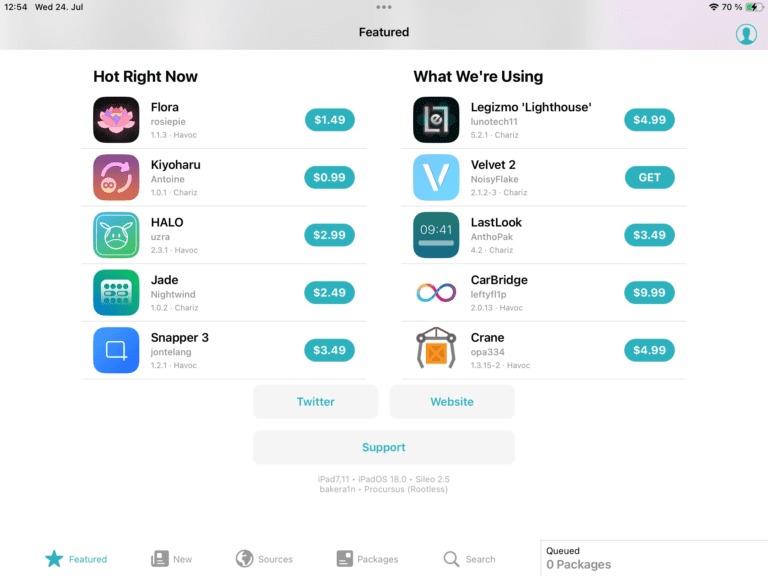
Jailbreak tweak master allows you to unlock the full potential of your iOS device with our powerful package manager. Also, this gives you access to exclusive tweaks, themes, and modifications that aren’t available on the Apple App Store.
This is compatible with all iOS versions, including iOS 26.5, and all device models, including the iPhone 17 Pro Max.
Jailbreak Tweak Master contains the latest Jailbreak apps, Package Managers including Cydia and Sileo, Utilities, IPA files, TrollStore IPA files, Deb and dylib files, and 100+ iPhone apps unavailable on the official Apple App Store.

Furthermore, this allows you to install all the social media double plus apps and all the network applications.
Additionally, this jailbreak tweak master allows users to easily jailbreak their iPhone, iPad, and even Apple TV. According to a tweet from its developers, it will continue to receive updates to improve its capabilities.
Moreover, it enables signing apps using the latest technologies available today. With this tool, you can fully customize your iOS device, transforming it to suit your preferences like never before.
How to get the free iOS jailbreak tweak master.
Step 1- Tap the button below and get the iOS jailbreak tweak manager.
Step 2- Go to Device Settings> General> Profile Management > Trust the Profile.

Step 3- Open the jailbreak tweak master and tap the Cydia button.

Step 4- Allow a few minutes to complete the process.
This installs Cydia Lite or a web-based Cydia-style experience.
You may also like to read about iOS jailbreak tools and solutions.
2. Cydia installation tools
Installing Cydia is the final and most exciting step of jailbreaking. For many jailbreak users, installing Cydia is one of the best feelings ever.
iPhone users who understand jailbreaking often choose to jailbreak their devices and install Cydia to enjoy more customization, tweaks, and extra features beyond the standard iOS experience.
But at the moment, the original Cydia is not officially available since the more functional jailbreak tool has not yet been released. But you can obtain a Cydia Lite version to get the Cydia experience.
You can get Cydia from the Jailbreak master app. Let’s see how to get Cydia from the Jailbreak Tweak Master app.
Follow the steps below to download Cydia on the latest devices and iOS versions.
Step 01: Open the Jailbreak Tweak Master tool, and then you can see Cydia Lite.
Step 02: Tap on the Download button, and it will download to your iPhone Settings.
Step 03: Like you installed Tweak Manager earlier, go to iPhone Settings > General > VPN and Device Management> Tap on Cydia Profile
Step 04: Install Cydia and enter the Device Passcode if needed.
Step 05: Open Cydia and install repos.
3. Uncover jailbreak U04S Store
unc0ver is a jailbreak, which means you can do whatever you want with your iOS device. It is a s semi-untethered jailbreak tool that supports iOS 12 through iOS 14.8. So you can use this jailbreak tool without using a computer. (online)
Uncover tool allows you to install Cydia and Sileo for your device freely. U04S Store is now compatible with all iOS versions, including iOS 11 to iOS 25.6. So you can get the unc0ver jailbreak tools and the Cydia package manager from this U04S Store. To download the Unc0ver jailbreak from the U04S Store, use the button below.
Unc0ver jailbreak AltStore guide.
Step 01- Download AltStore.
Step 02- Unzip and move AltStore to your application folder.
Step 03- Click on the AltStore icon in the Menu Bar.
Step 04- Click on the Install Mail Plug-in option.
Step 05- Tap on Mail → Preferences in the menu bar.
Step 06- Open the General tab in Mail preferences, then click Manage Plug-ins, check AltPlugin, then apply and restart Mail.
Step 07- Connect your device to your computer using a USB.
Step 08- Click AltStore in the menu, then go to Install AltStore. (Your iOS Device)
Step 09- Enter your Apple ID and password.
Step 10- Tap the install button.
Step 11- Trust AltStore.
Step 12- Tap the “Open in AltStore” button.
Step 13- Allow it to install Altstore.
Step 14- Open unc0ver and jailbreak your device.
UO4S store – Unc0ver online installation
The new UO4S App Store (u04) allows you to install unc0ver Jailbreak applications without a computer. ( revoked fixed for uncover jailbreak ) Unc0ver jailbreak via u04s iOS 26.5( IPA-new) has just been released. So you can now download it from the UO4S Store (unc0ver iOS 25.5.1).
The new UO4S App Store (u04) allows you to install unc0ver Jailbreak applications without a computer. (Revocation fixed for Unc0ver jailbreak )
Here are many apps, 1000+ Jailbreak tweaks, themes, settings, Cydia apps, Hacked Games, and many more things. Especially, you can download Uncover jailbreak new versions from the UO4S Store.
Unc0ver virtual Jailbreak
Jailbreak iOS 25.6 using Unc0ver virtual/Unc0ver Black Edition. It is a popular jailbreak solution that allows you to install Cydia Lite with a dark theme. This is not the official unc0ver tool, but you can use it to experience jailbreak customization. Its user-friendly interface makes it easy for both beginners and experienced users. This release is considered an alternative to the semi-unrooted Unc0ver tool.
The easiest way to install Unc0ver Black Edition is to download it from the u04S Store or its official website. Tap the download button above to install it directly on your device.
4. Esign iOS IPA Signer with Esign Patch
Esign IPA Signer is a powerful and user-friendly tool designed to streamline code signing for iOS applications. Simply use the Esign tool to install any apps not in the Apple App Store from an IPA file. SO you can get many double-plus apps, hacked apps, or mod apps, utilities, entertainment apps, beauty apps, AI apps, music apps, games, and much more.
Esign iOS IPA signer can be used without jailbreaking your device; however, most iOS users still have trouble downloading the official eSign tool, as the official eSign team has removed the main IPA from their website due to management and developer issues. But the good news is that jailbreak community developers and major community websites provide the Esign installation link for free, allowing users to install the Esign IPA signer online.

So you can get the Esign IPA signer IPA from the Zeejb IPA library or the Kekuk IPA library. Click the button below and download the latest Esign IPA file for new iOS 26.5 and higher versions.
How to get the Esign tool online for iOS 26.5?
Step #1 – Download Esignpatch using the following button.
Step #2 – Go to the device settings and trust the profile. [Setting>general>profile management> Es ign patch> install> Trust ]

Step #3- Tap Free Patch or Premium Patch.
Step #4- Allow a few minutes to complete the process.
Step #5 – The Esign iOS IPA signer will install on your device.
Step #6 – Enjoy the application
5.Ksign iOS ipa signer with Ksign patch iOS 26.5
Ksign is an on-device IPA sideloading tool that allows users to sign and install unlimited IPA files with a globally available Apple P12 certificate. Ksign is now compatible with new iOS 26.5 and newly released iOS 27. also compatible with higher and lower versions.

KSign developer called these tools the child tools of popular iPA signers, Esign and Feather. Ksign iOS IPA Sideloader -Sign unlimited.
How to get KSign iOS IPA signer?
You can download and install the KSign iOS IPA Signer online from KSign Patch for free. KSign patch app allows you not only to download online but also to get access to a premium IPA library.

Step 01: Download and install the KSign patch app using the button below.
Step 02: Open and tap the Ksign free patch or premiu patch.
Step 03: Install the KSign IPA signer.
How to sign an IPA from KSign iOS signer?
Step 1- Open KSign iOS iPA signer.
Step 2 – Go to setting bar and install the certificate files.
(If you don’t have certificates, you can get them from udidmater.com, the official Apple certificate provider. And if you get the KSign Premium patch, they will automatically send your new certificate files via Gmail.)
Step 3- Go to the Library section and import the iPA you want.
Step 4- Sign the iPA and enjoy the application.
6.Zeejb Store for iOS 26.5
The world’s best Jailbreak app store, Zee-AppStore, is the Number #1 Third-party installer for iOS, that offers 2000+ apps and games for your iPhone. This is the most popular and user-trusted app store that every iOS user who loves jailbreak has installed.
You may also like to read about: The Zeejb Store installation guide.
By using ZeeApp, you can install online apps such as Terminal Jailbreak, Jailbreak Tweak Master, Pikzo, Cripzi, Zeus, AppValley, Ksign Patcher, Esign Patcher, Nugget iOS, Palera1n Virtual, iOS Ninja, Zeon, Hexxa, Bregxi, Unc0ver, Chimera, Silio, Cydia, iOS 26.5, all jailbreak tools, and many more.

We are introducing our new Zeejb AppStore New version. Now it is compatible with all iOS versions from iOS 11 to iOS 27, including iOS 26.5. Also added support for all device models, including iPhone 17 Pro Max and higher.
Tap the button below and install the Zeejb app store freely for iOS 26.5 .
7.Paleran jailbreak tools for IOS 26.5
Palera1n is a developer-oriented jailbreak for iOS 15.0 and above. Currently, the Palera1n Online jailbreak tools support iOS 15 officially. Currently, support ranges from 15.0 to 16.7 and iPadOS 18.
Palera1n was developed based on a bootrom exploit discovered by axi0mX. It is now possible to jailbreak iPhone/iPad models running iOS 15 and up using the Palera1n tool created by @itsnebulalol Nebula.
Install Plarain Virtual Jailbreak
After following the steps below, you can install the Plera1n virtual app on your iPhone or iPad.
Step 01: Download the Plara1n Virtual App using the above download button.
Step 02: After downloading, open iPhone settings > General > Profiles & Device Management > Install “Palera1n” Profile.
Step 03: Open the Palera1n app, then tap on the “Jailbreak” button. This will download the Sileo Downloader app.
Step 04: Open Cydia Downloader and install Sileo.
FAQ
Is it possible to jailbreak iOS 26.5?
There is no confirmed full public jailbreak for iOS 26.5 at this time.
Will DarkSword Jailbreak iOS 26.5?
No, DarkSword is an exploit chain, not a common jailbreak tool.
Is it possible to install Cydia on iOS 26.5?
You cannot install the original full Cydia without a real jailbreak. You can only use Cydia Lite or web-based options.
Do I need to update to iOS 26.5 to jailbreak?
If you’re waiting for a real jailbreak, it’s usually better to stick to the lowest possible iOS version.
Does Palera1n support iOS 26.5?
Palera1n support depends on the device model and iOS version. Users should verify compatibility before attempting any jailbreak process.