Relaxin jailbreak online installation and IPA updates
Discover everything about Relaxin Jailbreak, including its beta status, release date, supported iPhone models, iOS versions, compatibility, IPA file, online installation links, download guide, and current development progress. Stray updates with the newest Relaxin jailbreak news.
The Relaxin jailbreak public beta IPA file has now been released to the public. SO all the jailbreak lovers can jailbreak their devices using this jailbreak tool if they are on iOS 17. Also, the developers are working on releasing a new version of this Relaxin jailbreak by adding support for iOS 26 and all lower versions as soon as possible.
Apple has significantly improved iPhone security over the past years, making the modern jailbreak development process more difficult. So making a new jailbreak is very difficult. Also, the older jailbreak tools have not yet been updated for the latest iOS versions, such as iOS 26.
So these days, all iOS users and developers focus on one jailbreak named “Relaxin jailbreak”.
Unlike many fake jailbreak tools that promise unsupported features, Relaxin is a real and trusted development project created by experienced security researchers. It has gained attention after entering a private closed beta, with demonstrations showing successful jailbreak functionality on selected iOS 17 devices.
After the developers published the first screenshot, thousands of iOS users have searched for information about the Relaxin jailbreak. Questions such as “Is Relaxin jailbreak real? “, ” Which iPhones are supported, ” When is it released? “, and ” Can I download it today? etc.
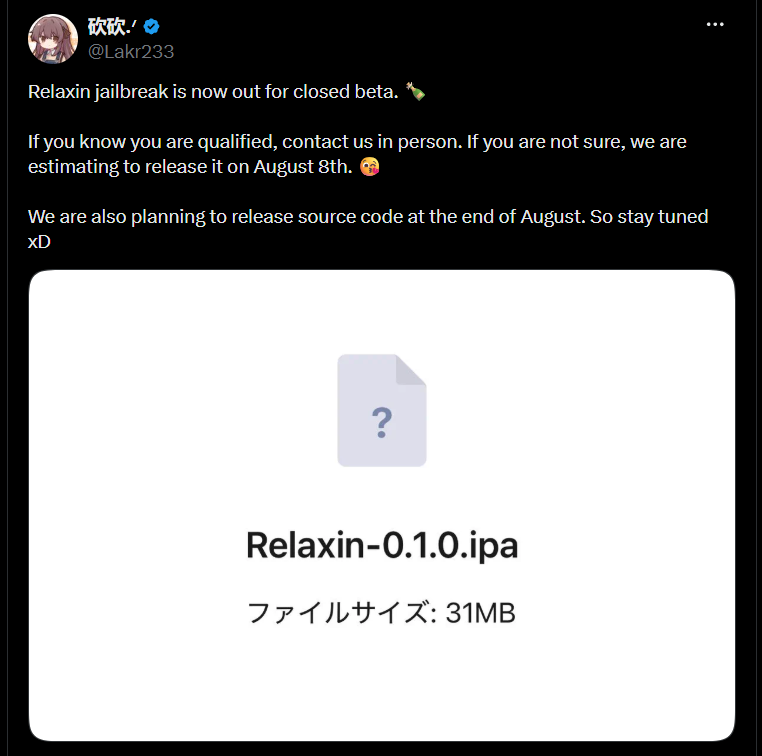
In this guide, you can learn everything currently known about Relaxin jailbreak, including,
- Latest jailbreak status
- Supported iPhone models.
- Supported iOS versions
- Download link online.
- Expected public release
- features
- Security considerations
- Frequently asked questions
What is Relaxin jailbreak?
Relaxin is a modern jailbreak tool developed for iOS 17 and up. It is designed to provide privileged system access, allowing compatible iPhones to run jailbreak tweaks, package managers, and advanced customizations that are normally restricted by Apple’s security models.
If you have been looking for information such as the Relaxin jailbreak download, Relaxin for iOS 17, supported devices, or how to install Relaxin, you can find it all in one place in this guide.
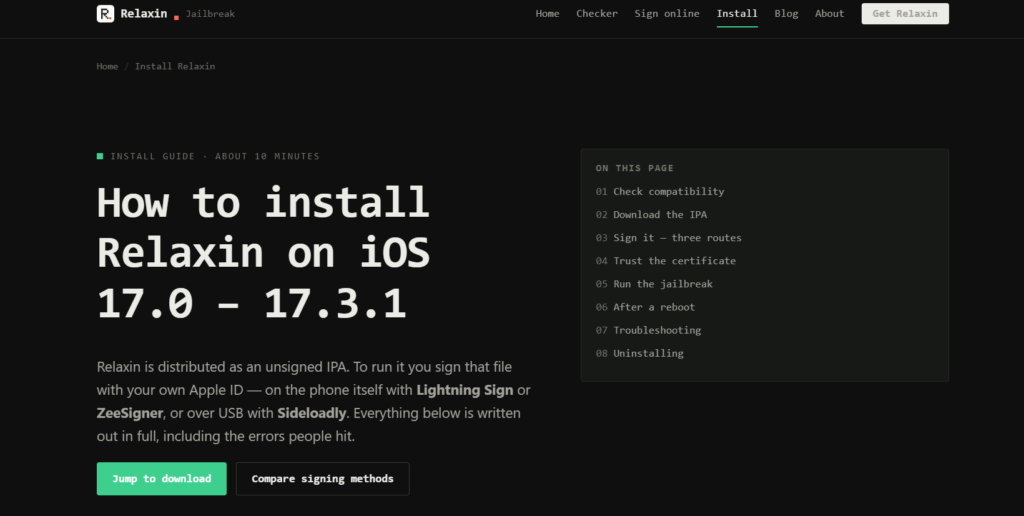
Relaxin installs a ‘rootless’ bootstrap compatible with RootHide and requiring no root access, including Sileo and Filza; it allows you to sign IPA files directly on your device without needing a computer. We have consolidated all relevant information, including download links (mirrors), a list of compatible devices, and installation steps, into one place, saving you the hassle of scouring various forums.
Key Features
As features continue to evolve with each beta update, Relaxin aims to provide:
- A modern jailbreak environment
- Support for compatible iOS 17 firmware
- Package manager compatibility
- System tweak support
- Performance optimization
- Stability improvements
- Community-driven updates
- Ongoing bug fixes
Additional functionality may be introduced in future beta releases as development progresses.
Relaxin jailbreak supported devices
A primary question for all users before downloading the Relaxin jailbreak is, “Which devices and iOS versions are supported?” Therefore, details regarding the currently supported iOS versions and compatible iPhone models are provided here. Additionally, support for versions beyond iOS 17 (including iOS 26) will also be available soon.
As the range of supported devices may expand with future releases, always check the latest compatibility information before installing the jailbreak.
Devices supported by Relaxin Jailbreak
- iPhone Model Chip Status
- iPhone XR A12 Bionic ✅ Supported
- iPhone XS A12 Bionic ✅ Supported
- iPhone XS Max A12 Bionic ✅ Supported
- Other iPhone Models — ⏳ Future support may be announced
Note: Compatibility status for Public Beta versions may change as development progresses. ZeeJB will update this table whenever official support is expanded.
Supported iOS Versions
Relaxin currently supports selected versions of iOS 17.
iOS Version Status
iOS 17.0 ✅ Supported
iOS 17.0.1 ✅ Supported
iOS 17.0.2 ✅ Supported
iOS 17.1 ✅ Supported
iOS 17.1.1 ✅ Supported
iOS 17.2 ✅ Supported
iOS 17.2.1 ✅ Supported
iOS 17.3 ✅ Supported
iOS 17.3.1 ✅ Supported
Newer versions ⏳ Under evaluation
Tips :
iOS 17.4 – iOS 17.7.2 Jailbreak Tools
iOS 18 – iOS 18.7.9 Jailbreak Tools
Availability of this support depends on both the iPhone model and the installed iOS version. Even if two devices are running the same firmware version, their compatibility may differ due to hardware-level security variations.
| iOS Version | Jailbreak Tool / Solution |
|---|---|
| iOS 17 – iOS 17.7.2 | Relaxing / Jailbreak Tweak Master / Terminal Jailbreak / Lightning Signer / Esign Patch |
| iOS 18 – iOS 18.7.2 | Jailbreak Tweak Master / Prism Jailbreak Extractor / Cowabunga Lite / Esign Patch / Terminal Jailbreak |
| iOS 26 – iOS 26.6 | Pikzo Repo Signer / Terminal Jailbreak / Jailbreak Tweak Master / Zee Signer |
| iOS 27 | Jailbreak Tweak Master / Cydia Reborn |
Minimum Requirements
Before installing Relaxin Jailbreak, ensure the following requirements are met:
- A compatible iPhone model
- A supported iOS 17 version
- A recent backup created using Finder or iCloud
- Sufficient free storage space
- A stable internet connection
- A computer, if required for the specific installation method
Creating a backup is strongly recommended. Although many beta users have completed the installation, beta software can sometimes cause unexpected issues.
Download Relaxin Jailbreak IPA
Here is the latest IPA file of Relaxin jailbreak.
Relaxin Jailbreak online installation app and tool
Relaxin is an online jailbreak tool. You can sign up and download this tool using the button below.
How to Download Relaxin Jailbreak
It is important to download Relaxin safely and install it correctly.
To do so, follow these general steps:
- Visit the official Relaxin release page or the developer’s official announcement.
- Download the latest ‘Public Beta’ version (build) available there.
- Ensure that the version is compatible with your device’s current firmware.
- Read the release notes carefully.
- Then, proceed with the installation process.
What is included after jailbreaking?
Depending on the current beta released, users may gain access to features such as :
- Third-party tweak support
- Package managers like Cyida, Selio, Zibra, Misaka
- Enhanced customization
- system modifications
- Developer tools
- Rootless jailbreak environment
- Community-developed tweaks
Feature availability may change as development continues.
Release Date :
- August 8
- Plans are also in place to release the source code at the end of August.
Creator / Developer
OwnGoal Studio (Creator Lakr233 and team)
Important Notes
- It is not yet publicly available to all users.
- An invitation or ‘beta’ access may be required.
- Compatibility may change as development progresses.
- Avoid using unofficial downloads that claim to offer full support, as they can often be unreliable or unsafe.
Troubleshooting
Since the Relaxin jailbreak has not been widely released, issues may vary. However, there are common problems users might encounter.
Installation Failure
Possible causes:
- Unsupported iOS version
- Incorrect installation method
- Expired certificates
Solution:
- Verify compatibility
- Reinstall using official instructions
- Wait for updated versions
- Device freezing or crashing
Possible causes:
Incompatible ‘tweaks’ (system modifications)
System conflicts
Solution:
- Restart the device
- Remove the problematic ‘tweaks’
- Restore from a backup if necessary
- Jailbreak not working after restarting
Some jailbreak methods are ‘semi-tethered’. This means: They need to be reactivated after restarting the device.
Safety Tips
To minimize potential issues:
- Always create a backup first.
- Install only trusted tweaks.
- Avoid mixing incompatible tweak repositories.
- Pay attention to beta release notes.
- Wait for compatibility updates before upgrading iOS.
Following these recommendations can reduce the risk of encountering unexpected issues after jailbreaking.
Relaxing vs other jailbreak tools
With several jailbreak tools available for various iOS versions, iPhone users wonder how to compare the Relaxin jailbreak tool with other jailbreak tools. Each jailbreak tool has different goals, supported devices, and firmware compatibility.
The table below provides a quick overview.
| Features | Relaxin jailbreak | Dopamine jailbreak | Plaren1n jailbreak |
| Supported firmware | iOS 17(support builds) iOS 26 coming soon. | iOS 15 – 16 | checkm8 compatible devices |
| Status | Public beta | Stable | Stable |
| Rootless | ✅ Yes | ✅ Yes | ✅ Yes |
| Active Development | ✅ Yes | Maintance updates | ✅ Active |
| Modern devices | Limited | Limited | No |
| Best for | Supported iOS 17 devices | iOS 15 – 16 users | Older checkm8 devices |
Rather than replacing every existing jailbreak, Relaxin jailbreak expands available options for users running iOS 17 firmware.
Updates
This is how the Relaxin jailbreak developer updates his website today.
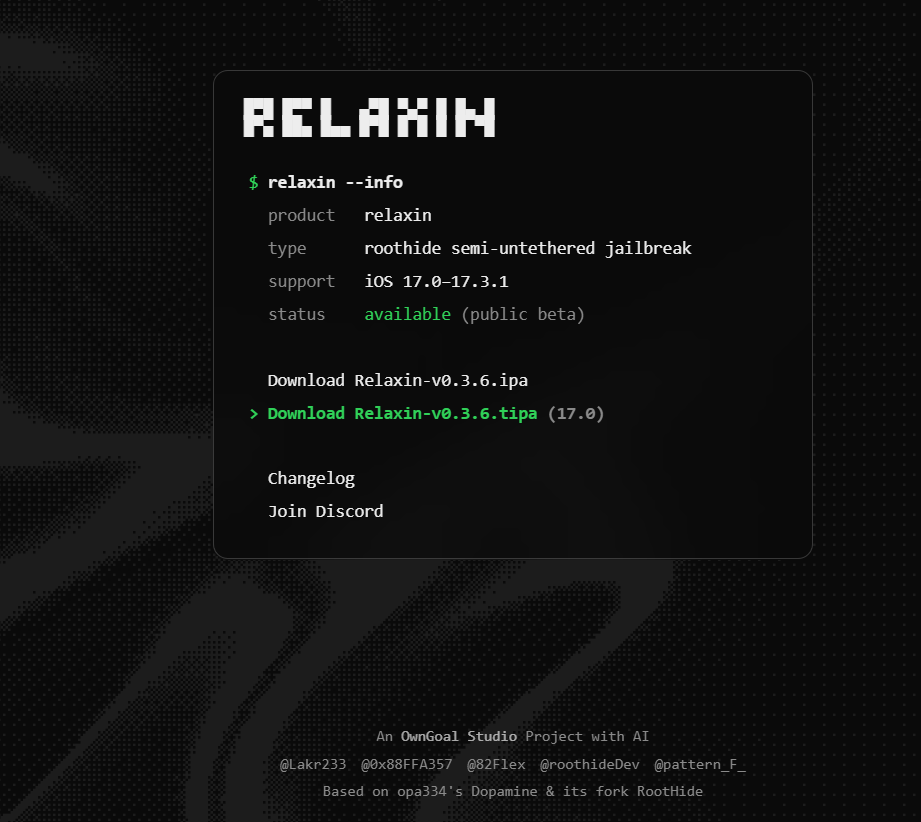
Relaxin – changelog
v0.4.2 (2026-08-03)
- Improved interface performance.
- Added support for A12 and M2 devices.
- Improved reliability and polish. v0.4.0
- Fixed compatibility with apps that rely on fork to create child processes.
Reddit. com updates

I would like to remind everyone that the next version of Dopamine will support ALL arm64e devices up to iOS 17.3.1 and will NOT use RootHide architecture. If you want to switch from Relaxin to Dopamine in the future, you will have to start all over again. I would recommend waiting if you think you can!

49
Accurate_Upstairs_11
•
5d ago
appreciate for the heads up!!

7
Charming_Cod2700
•
5d ago
Thanks Alfie!
FAQ
- Is Relaxin jailbreak free?
- Yes
2. Can Relaxin jailbreak be obtained online?
Yes, now you can get this jailbreak tool online using this link. Relaxin jailbreak online download>>>
3. Is Relaxin safe?
When installed on supported devices using official sources, this is designed as a legitimate ‘jailbreak’ project. As with any ‘jailbreak’ software, users should understand the associated risks before using it.
4. Will future versions provide support for additional devices?
Although developers are continuously expanding compatibility, future support depends on ongoing development and testing.
5. Can I remove the jailbreak later?
Future releases may provide options to remove the jailbreak. Follow the developer’s documentation before attempting to revert or remove the jailbreak.
Relevant guides from ZeeJB
To learn more about jailbreaking and compatible tools, you may find the following guides useful:
- iOS 17 Jailbreak Guide
- Dopamine Jailbreak
- palera1n Jailbreak
- TrollStore Installation Guide
- Sileo Package Manager
- Cydia Download Guide
Keeping these resources up to date makes it easier for users to select the most suitable jailbreak solution based on their device and firmware.